1. Incorrect Photo Size
The photo must be 35mm x 45mm. Incorrect size is one of the most common reasons for rejection.
HM Passport Office has strict rules for passport photos. Even a small mistake can lead to rejection and delay your application. Here are the most common passport photo rejection reasons and how to avoid them.
Make sure your passport photo meets UK requirements before you submit it.
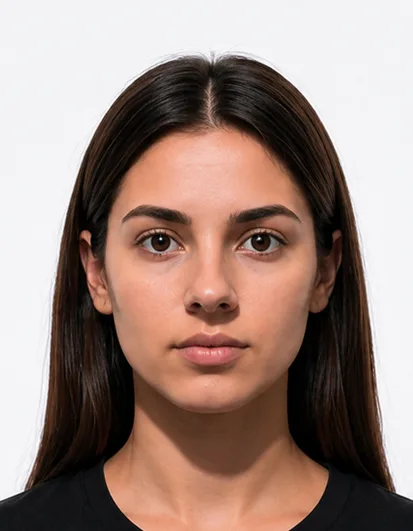
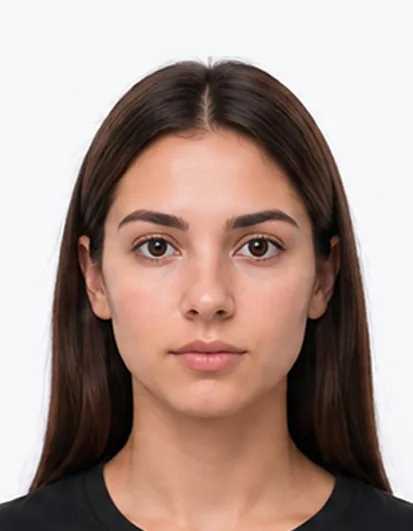
The most common reasons for UK passport photo rejection are shadows, incorrect background, poor lighting, wrong head position, closed eyes, low photo quality and using the wrong photo size. To avoid rejection, use a plain light background, face the camera directly, keep a neutral expression and make sure your whole face is clearly visible.
Create Photo NowThe photo must be 35mm x 45mm. Incorrect size is one of the most common reasons for rejection.
The background must be plain light grey or cream. Patterns, colours or shadows can cause rejection.
Shadows on your face or behind you are not allowed. Use even lighting.
Too dark or too bright photos are not acceptable. Your face must be clearly visible.
You must face the camera directly with your head centred and eyes open.
You must have a neutral expression with your mouth closed. No smiling or frowning.
Your eyes must be open and clearly visible. No hair, glasses or reflection should block them.
Glasses are allowed but must not have glare, tinted lenses or thick frames covering your eyes.
Your full face must be visible. Hair covering your eyes, ears or face is not allowed.
Headwear is only allowed for religious or medical reasons and must not cover your face.
Blurry, pixelated or low-resolution photos are not accepted.
Physical prints must be in perfect condition. No scratches, creases or marks.
Edited photos, filters and beauty effects are not allowed.
Using an old photo that does not look like you now can lead to rejection.
The photo must be printed on high-quality photo paper. Poor paper quality may cause rejection.
| Reason | Rejection Risk | How To Fix It |
|---|---|---|
| Incorrect Size | High | Use 35mm x 45mm exact size |
| Wrong Background | High | Use plain light grey or cream background |
| Shadows | High | Use even lighting and avoid shadows |
| Poor Lighting | High | Use natural light, not dark or overly bright light |
| Not Facing Straight | Medium | Face the camera directly |
| Expression Not Neutral | Medium | Keep a neutral expression with mouth closed |
| Glasses Glare | Medium | Remove glasses or avoid glare |
| Low Quality | High | Use a high-resolution, clear and sharp photo |
| Old Photo | Medium | Use a recent photo that looks like you now |
Many UK passport photos are rejected because of simple issues such as incorrect sizing, poor lighting, shadows, unsuitable backgrounds or incorrect face positioning. Checking your photo before submitting your application can help prevent delays, additional costs and the need to retake your picture. Understanding the most common passport photo mistakes is one of the easiest ways to improve your chances of acceptance.
Create a compliant passport photo from your phone using the Foxly Passport Photo Maker app. Your photo is checked and prepared according to passport photo requirements before being sent to you by email, with printed passport photos also available for delivery across the UK and Ireland.
No. UK passport photos require a neutral expression with your mouth closed. Smiling, frowning or exaggerated expressions may cause rejection.
You can wear glasses only if your eyes are clearly visible and there is no glare, reflection, tinted lens or frame blocking your eyes.
Your photo may be rejected if it does not meet the required 35mm x 45mm size. Foxly Passport Photo Maker helps resize your photo correctly.
Your passport photo should be recent and must look like you now. If your appearance has changed, use a new photo.
Yes. You can take a passport photo with your phone if it meets UK passport photo requirements for lighting, background, size and face position.
Most passport photos are rejected because of shadows, incorrect background, poor lighting, wrong crop, unclear eyes or poor image quality.